

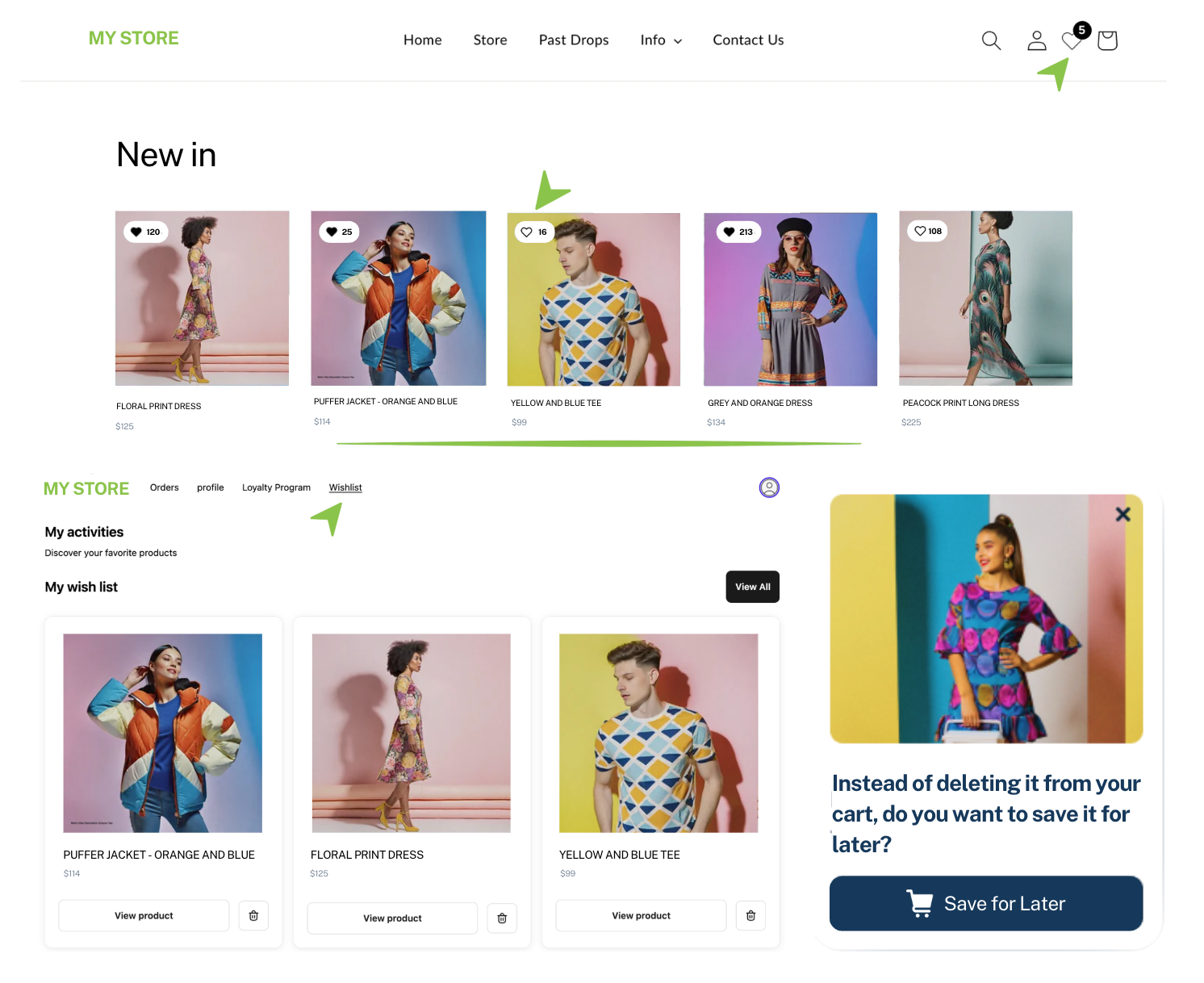
When a shopper logs into their account, they're telling you they came back. Showing them their saved products right there personalises that moment and makes the path to purchase as short as possible. If they have to go searching for what they saved, you've already added friction at the wrong time.
Most shoppers don't buy on their first visit. Across millions of journeys, we're seeing that it can take weeks, sometimes around 40 days from first visit to purchase. In that window, they browse, save a few things, get distracted, and move on. Unless something brings them back.
The brands that convert more of that browsing into revenue have one thing in common: they don't let shopper interest disappear. They capture it, act on it, and show up again at the right moment. That's exactly what Wishlist Plus is built to do.
Want to see which capabilities you have set up and what you might be missing? Review your feature overview →
This month we shipped updates designed to turn that browsing into revenue faster:
When a shopper logs into their account, they're telling you they came back. Showing them their saved products right there personalises that moment and makes the path to purchase as short as possible. If they have to go searching for what they saved, you've already added friction at the wrong time.
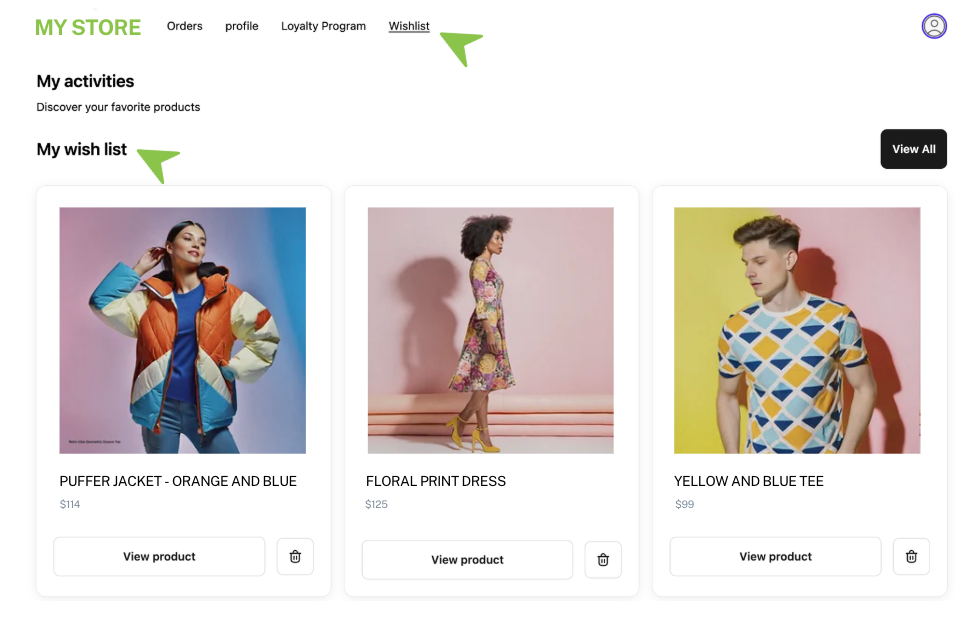
Saved products in the Customer Account page. Saved products surface directly inside the Shopify account page, no navigation required. One click gets the item into the cart.
Wishlist access point in the top menu. Shoppers can reach their list with a single tap.
Configurable button labels. The labels "View All," "View Product," and "View List" are now editable and translatable directly in the Shopify theme editor. No code needed. Useful if you sell in multiple languages or want the copy to match your brand.
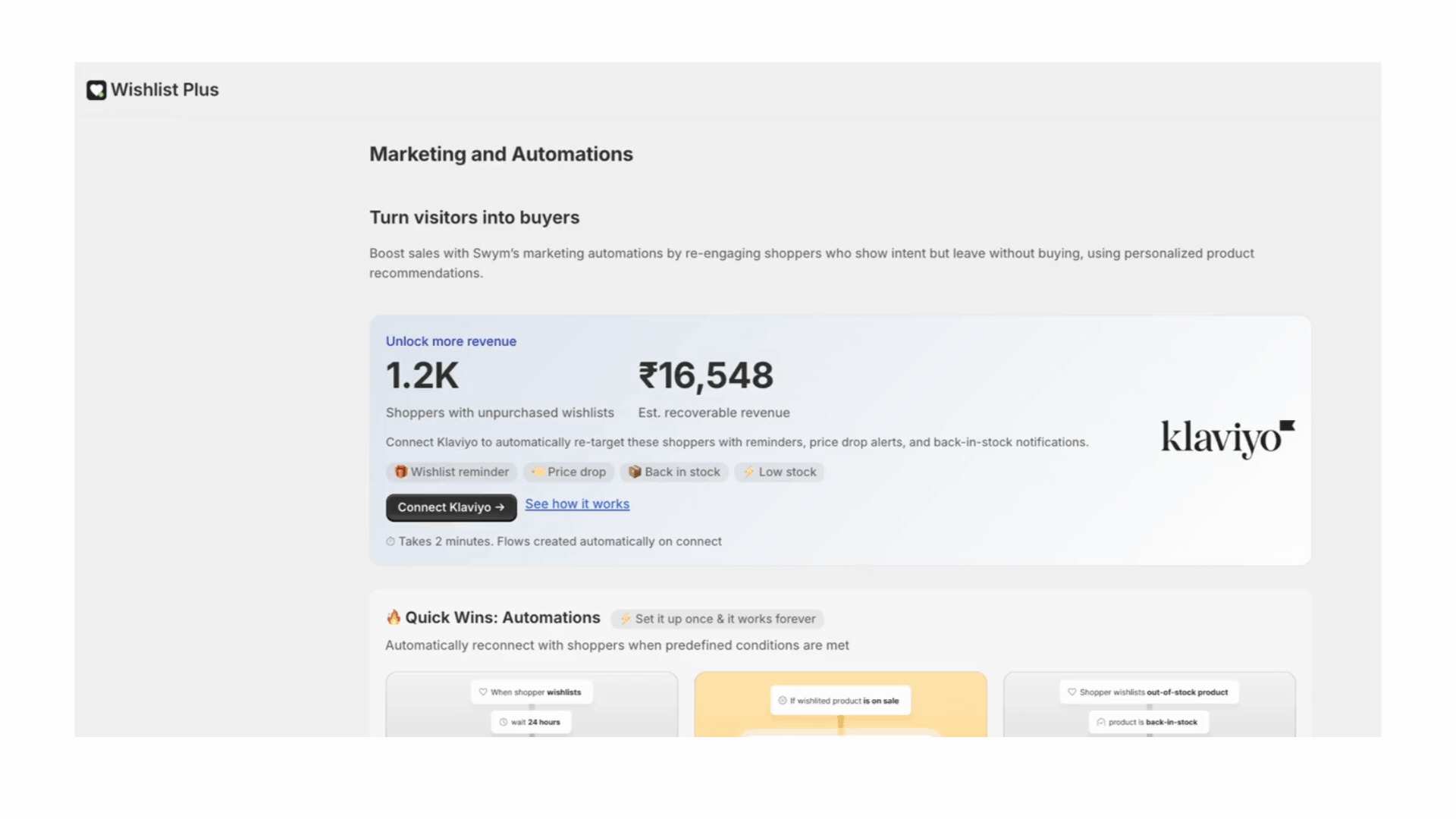
A save is a shopper telling you what they want, just not right now. A price drop, a restock, a timely reminder: these are the moments that turn a save into a sale. Without your email platform connected, none of them reach your shoppers.
There's also a less obvious cost. Many wishlist saves come from shoppers who aren't logged in. Without Klaviyo connected, those profiles stay anonymous forever. You can't reach them even when you know exactly what they want. Every week without a connection is a week of profiles you won't recover.
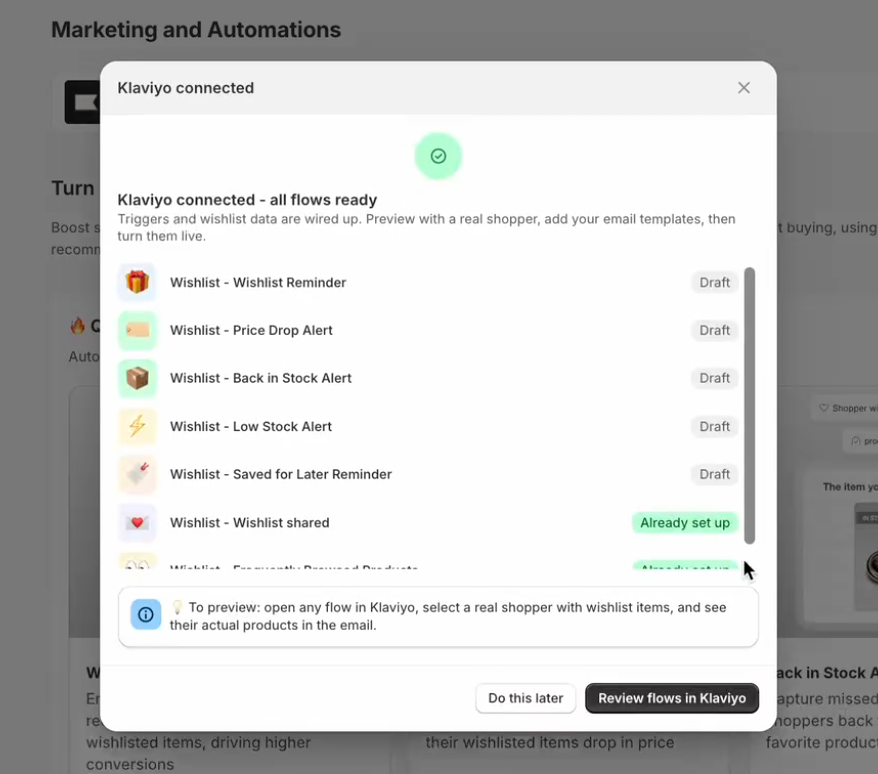
If you run your email marketing on Klaviyo, connecting takes two minutes. Wishlist Plus automatically enables the required features and creates your core flows in draft state with an email template attached so you can verify data is flowing before you go live. Swap in your branded templates and turn your flows live.
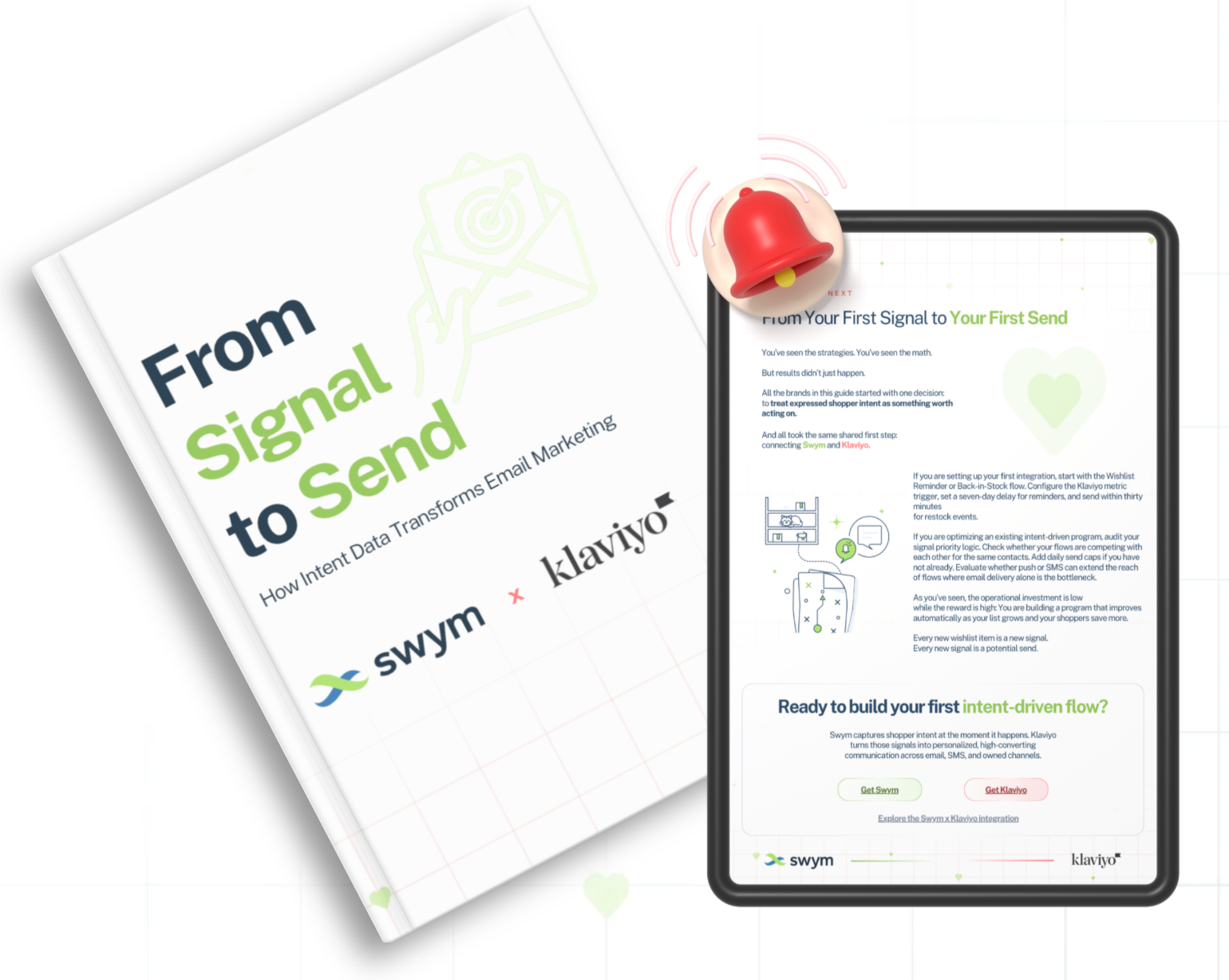
New Resource In Partnership With Klaviyo: Signal to Send. How Intent Data Transforms Email Marketing
We partnered with Klaviyo to build a guide on turning wishlist saves into revenue: which flows to build first, how to sequence them, and how the best stores use wishlist data alongside their broader email strategy.
Some of your most valuable shoppers are hiding in plain sight. They visit your store regularly, they've given you their email, and they keep coming back to browse. But they've never saved a product.
You can email them. But right now you're guessing what to send.
When a shopper wishlists a product, you know exactly what they want. That turns a generic email subscriber into someone you can reach with relevant, personalised flows: price drop alerts on things they actually care about, restock notifications for items they've been watching, reminders timed to when they're most likely to buy.
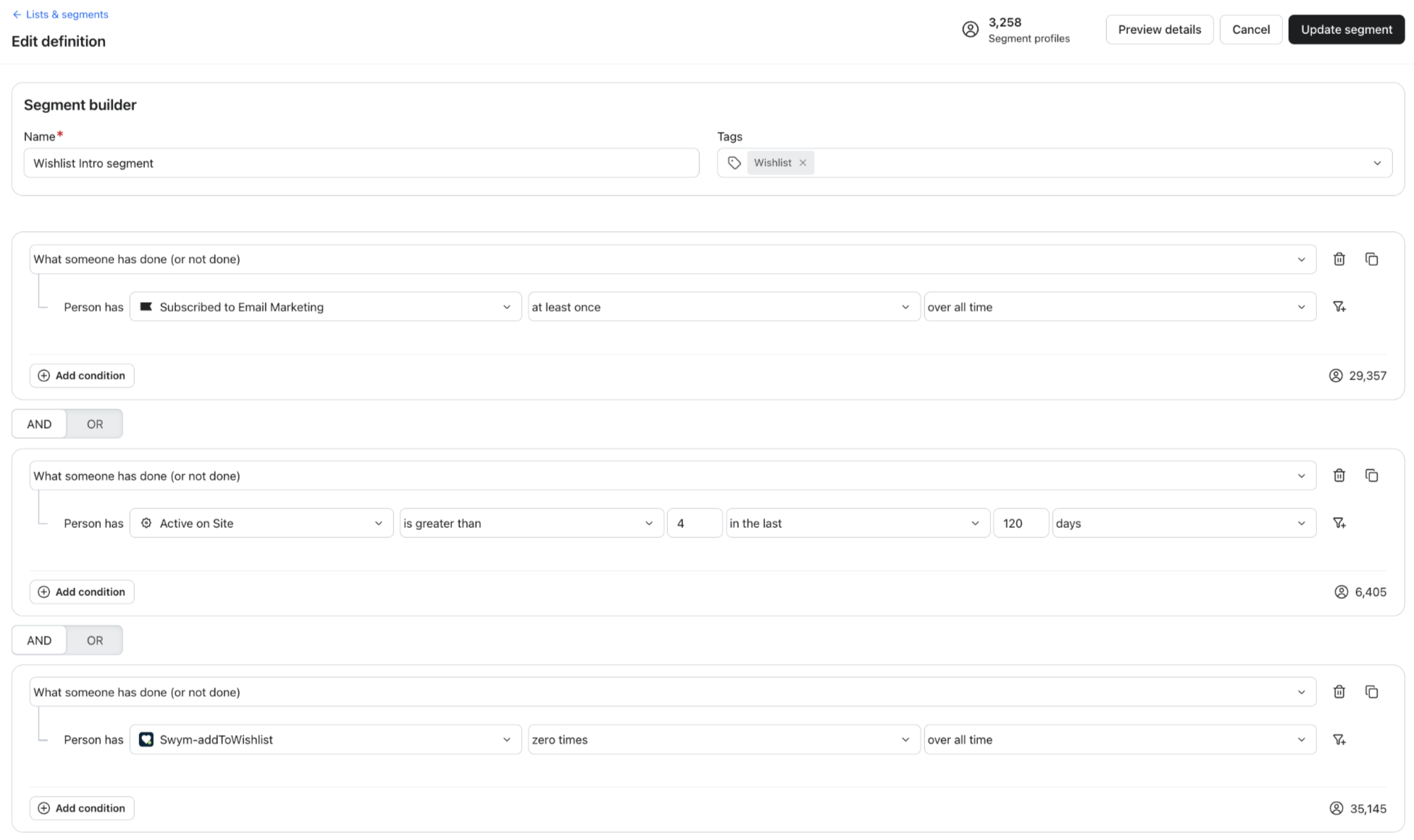
Build this segment in Klaviyo and run a 1 to 2 email campaign introducing the wishlist. Show them how to save a product and what happens next. No discount needed. Once they save their first product, your flows take over.
Build this segment in Klaviyo:
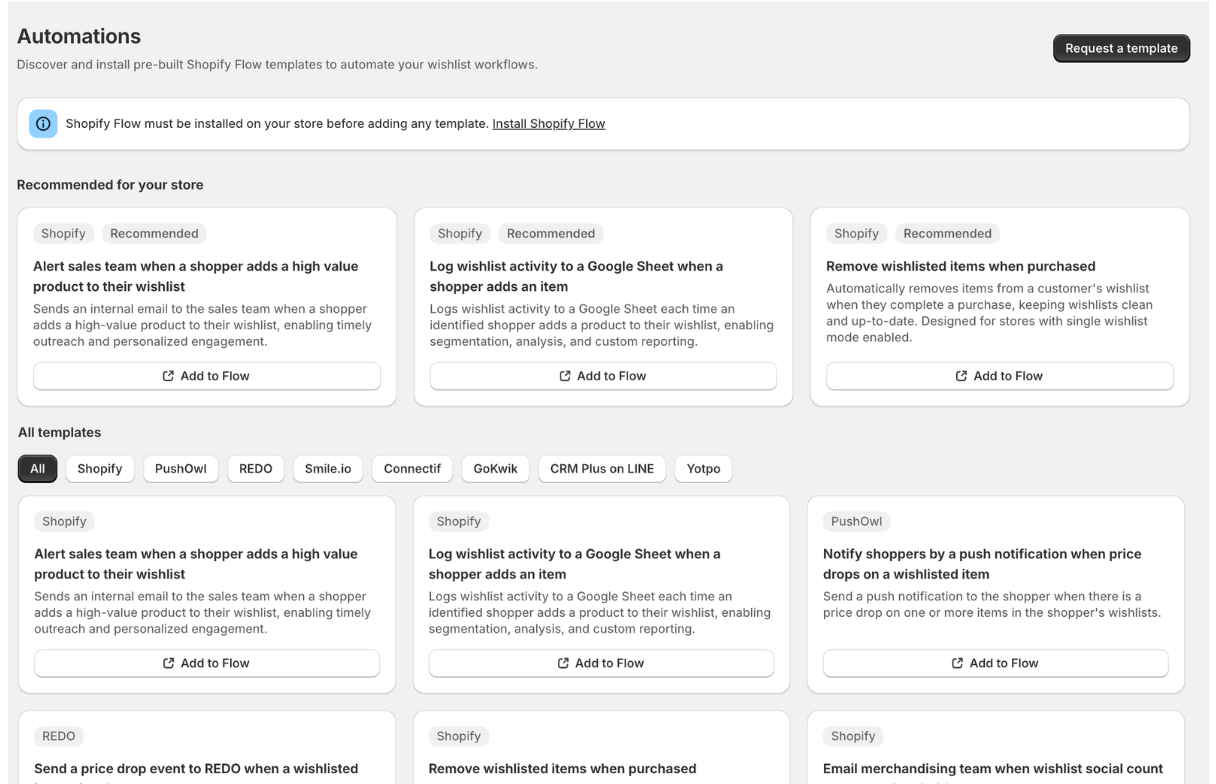
Your shoppers are telling you what they want every time they save a product. Now you can act on it automatically.
The new Automations page inside Wishlist Plus surfaces pre-built Shopify Flow templates compatible with your setup, based on the apps you already have installed. Tag a customer as high-intent and alert your sales team when their wishlist hits a certain size. Award Yotpo loyalty points when a shopper saves 10 or more items. Trigger a restock notification the moment a wishlisted product comes back in stock. Pick any template, add it to Flow in one click.
Don't see what you need? Request a custom template directly from the page.


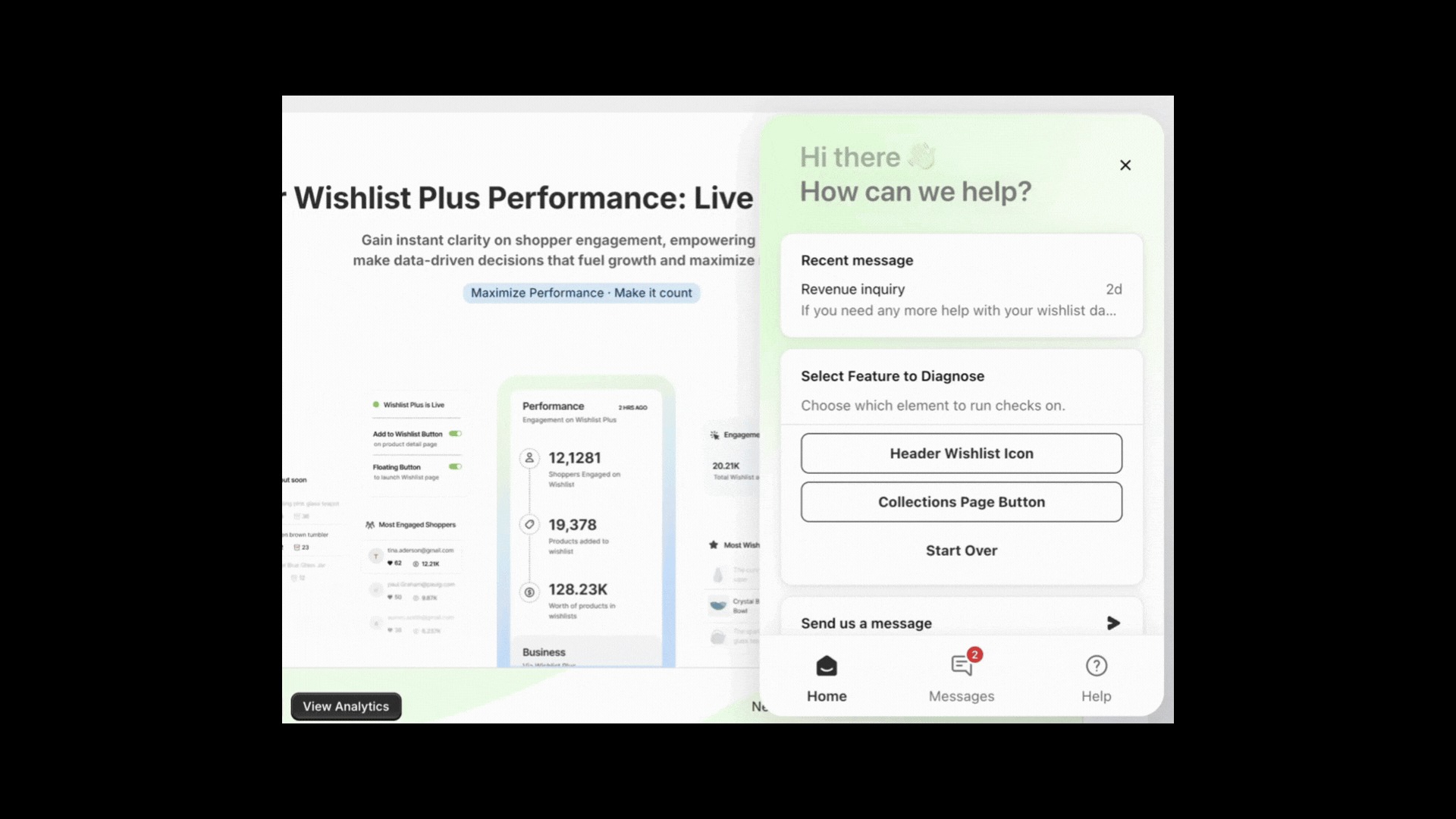
Setting up and managing a wishlist shouldn't require digging through documentation or waiting on support. Our AI Assistant is now available directly inside your Wishlist Plus dashboard to make that easier.
Ask it anything. How to add a wishlist button to your collection page. How to connect Klaviyo. Why a feature isn't showing up the way you expected. It already knows your store setup, so answers are relevant from the first message.
It also checks your storefront for issues. If something isn't working the way it should, it finds it and fixes it before it costs you saves.
Swym will be at DotDev in Toronto. We're hosting two events on the sidelines and would love to see you there.
Ladies Who Lunch... Build & Lead An afternoon for women in the Shopify ecosystem to connect, away from the conference floor. Register →
Kicks & Coffee: A Post-DotDev Morning Run A casual 5K, followed by coffee and bagels. Space is capped at 20. Register →

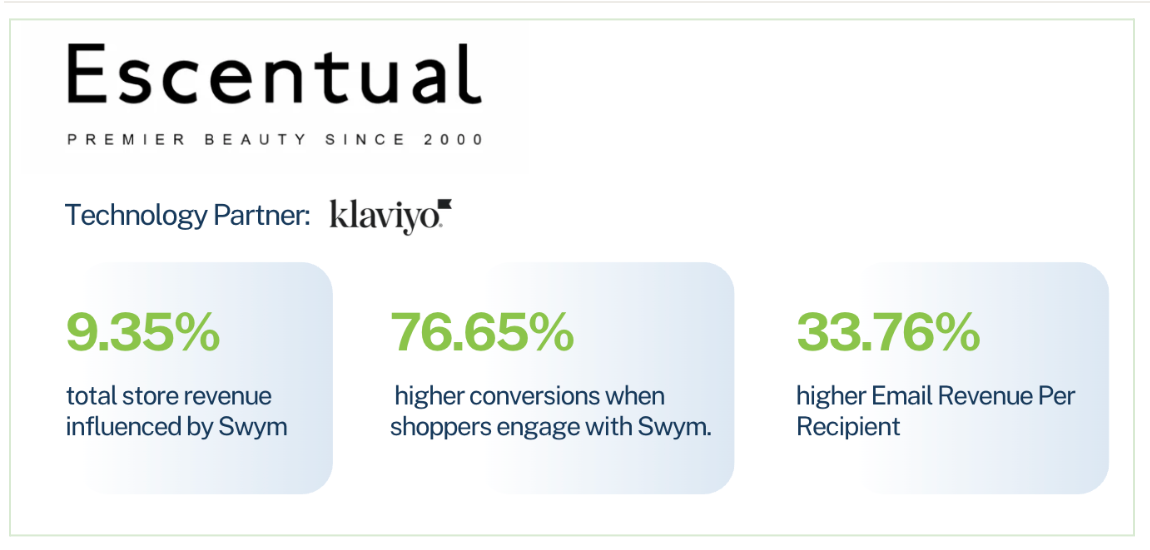
Escentual, one of the UK's top independent beauty retailers, had high-consideration shoppers comparing products across multiple sessions with no way to know what they were interested in or how to bring them back once they left. After enabling Swym's wishlist, price-drop alerts, and back-in-stock flows in Klaviyo, nearly 1 in 10 orders was influenced by Swym. Sessions engaging with wishlist features converted at 76.65% above their site average.
"Customers had interest, but we didn't have a clean way to capture them or turn them into future sales."
If you'd like to walk through your setup or talk through where to focus next, book time with us directly.
— The Swym Team
Helping e-commerce brands craft a more seamless experience for their customers


