

A save should feel like part of your store, not something bolted on top of it. This month's updates make sure your wishlist button matches your brand automatically, works the same on phone and laptop, and stays consistent across every page.
Most shoppers don't buy the first time they land in your store. They browse, save a few things, and leave. Whether that visit turns into revenue comes down to three things: did you capture their interest, did you engage them again before they forgot you, and did that engagement convert into an order.
This month's updates touch all three: a wishlist button that's easier to customize and matches your brand (Capture), and markets, Klaviyo, and Sidekick updates to bring shoppers back (Engage & Convert).
This month’s updates:
A save should feel like part of your store, not something bolted on top of it. This month's updates make sure your wishlist button matches your brand automatically, works the same on phone and laptop, and stays consistent across every page.
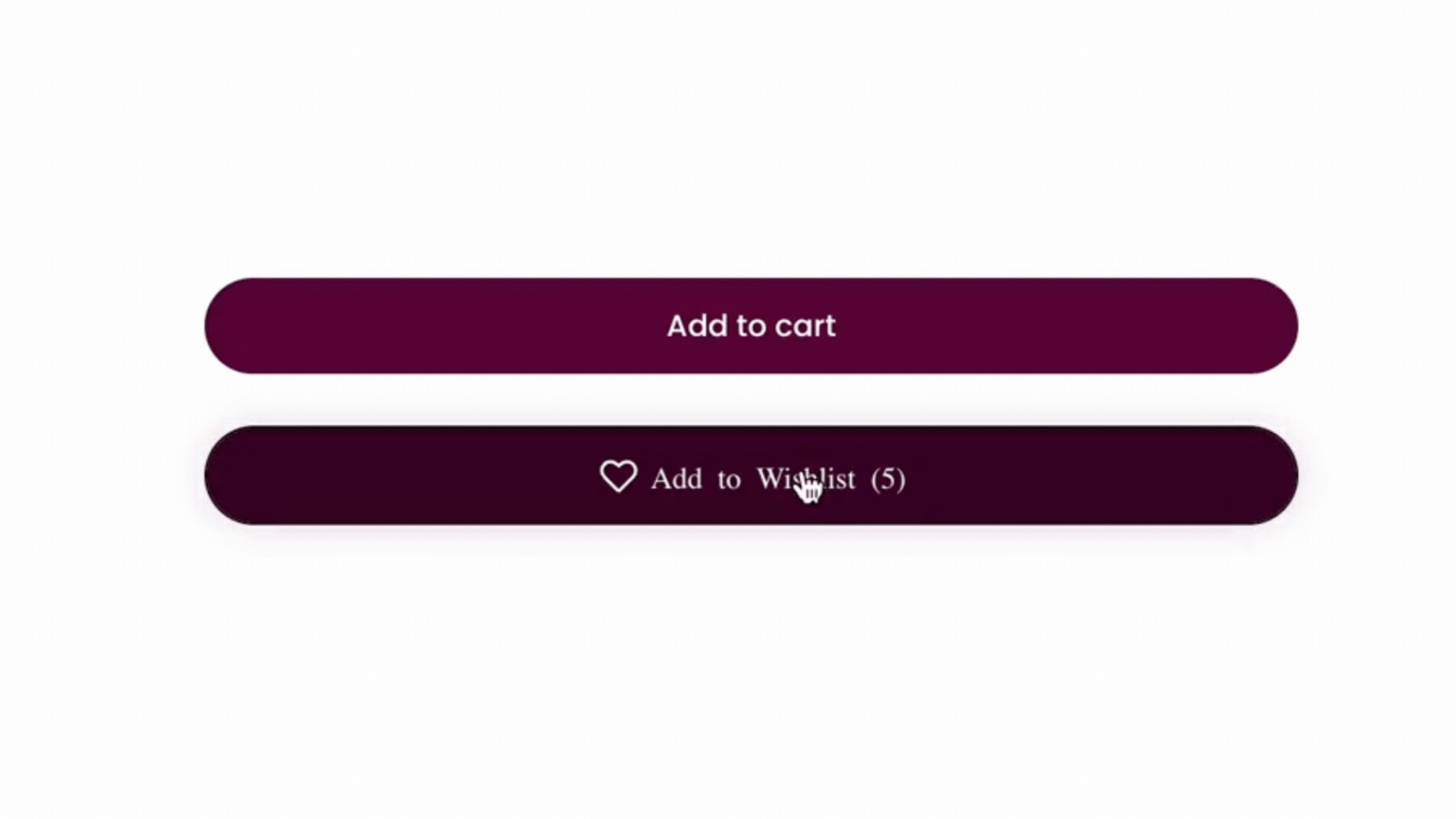
Product page buttons inherit your Add to Cart button's radius, style, and font. Collection page hearts inherit your brand's colors, and the icon now sits on a background so it stays visible on any image.

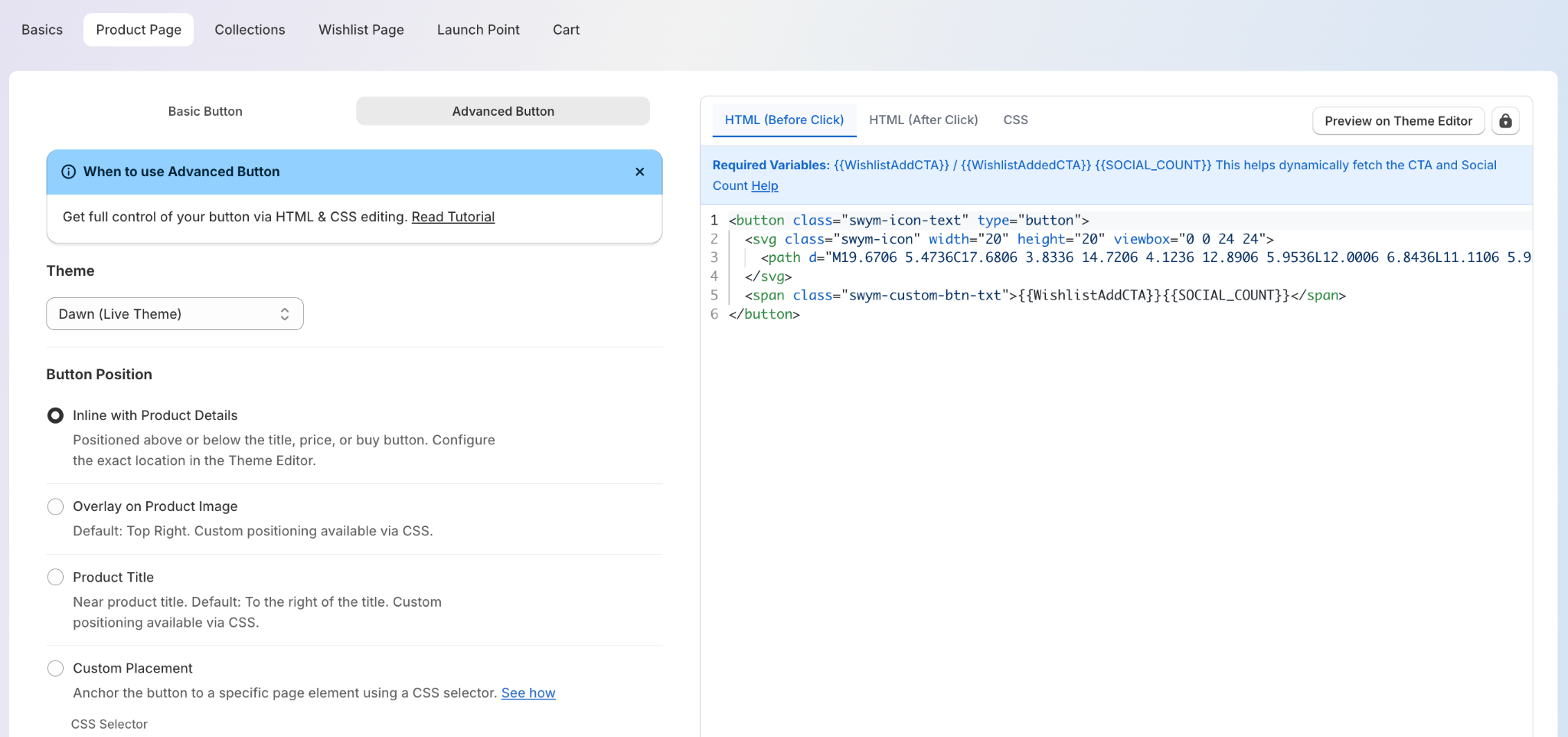
Editable HTML and CSS now ship right in your Wishlist Plus settings - copy it, describe the look you want to an AI tool, paste the code back. No developer, no waiting on support.
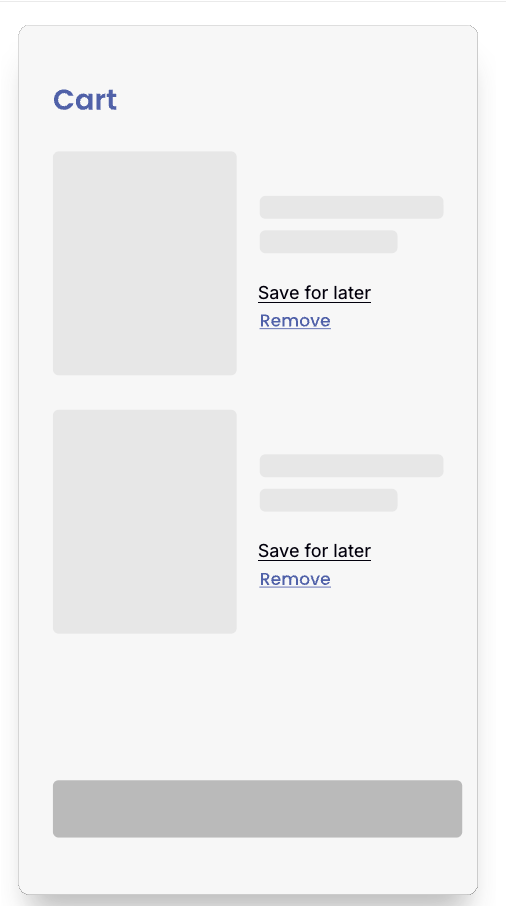
Let shoppers save what they liked before they drop off. Follow our dev docs or reach out to support to get this built for your cart delete flow.


The wishlist nudge pop-up can now be configured directly from your Shopify admin settings too, no need to wait on our team for simple changes.
A saved item that never gets a follow-up is a missed sale waiting to happen. This month's updates give you more triggers, more markets, and more platforms to bring shoppers back with the right message.
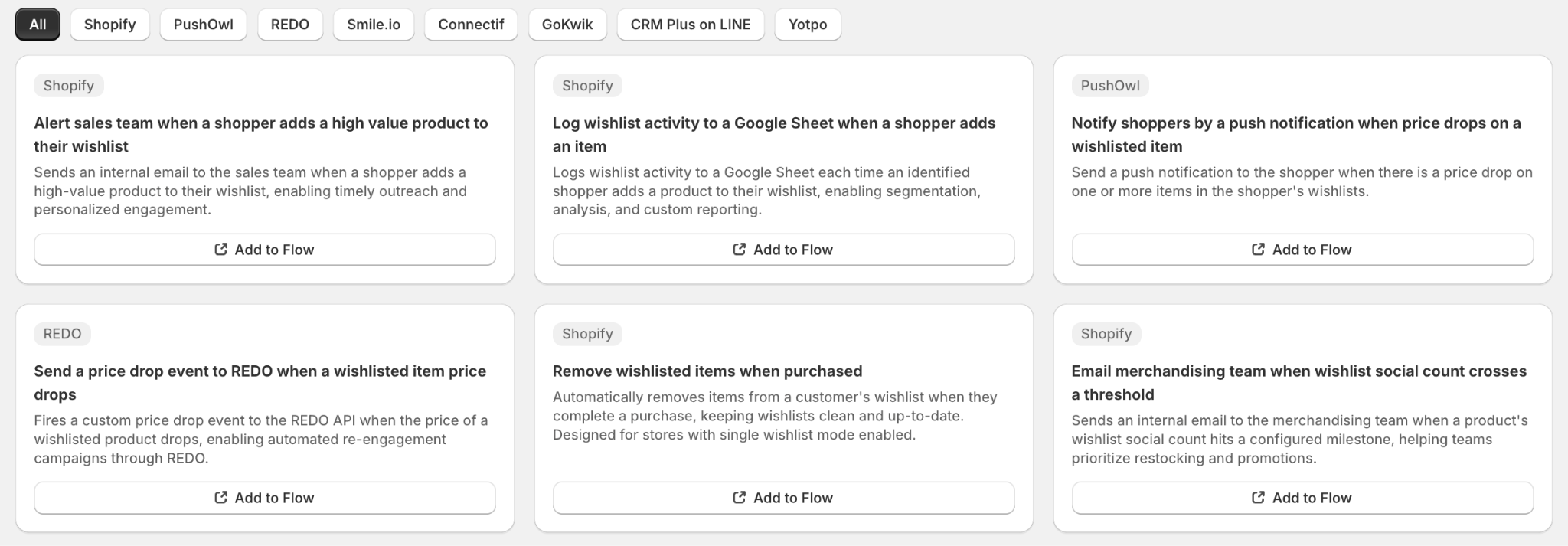
If you sell across multiple markets - countries, currencies, or languages, your flows can now automatically adapt, since every trigger knows the shopper's market context. Flow also triggers when a shopper shares their wishlist, unlocking use cases like rewarding sharers or tracking viral sharing behavior.

The Beaufort Bonnet Company, part of the Oxford Industries portfolio alongside Lilly Pulitzer and Tommy Bahama, makes heirloom-quality baby and children's apparel and gifts, sold online and through ~400 retail stores. Its shoppers save with real purchase intent, for baby showers, birthdays, milestones, but their prior tools couldn't say what was being saved or by whom.
After connecting Smart Save to Klaviyo, that saved intent turned into a 239x return on their Swym investment in 12 months, with wishlist flows averaging a 62%+ open rate.
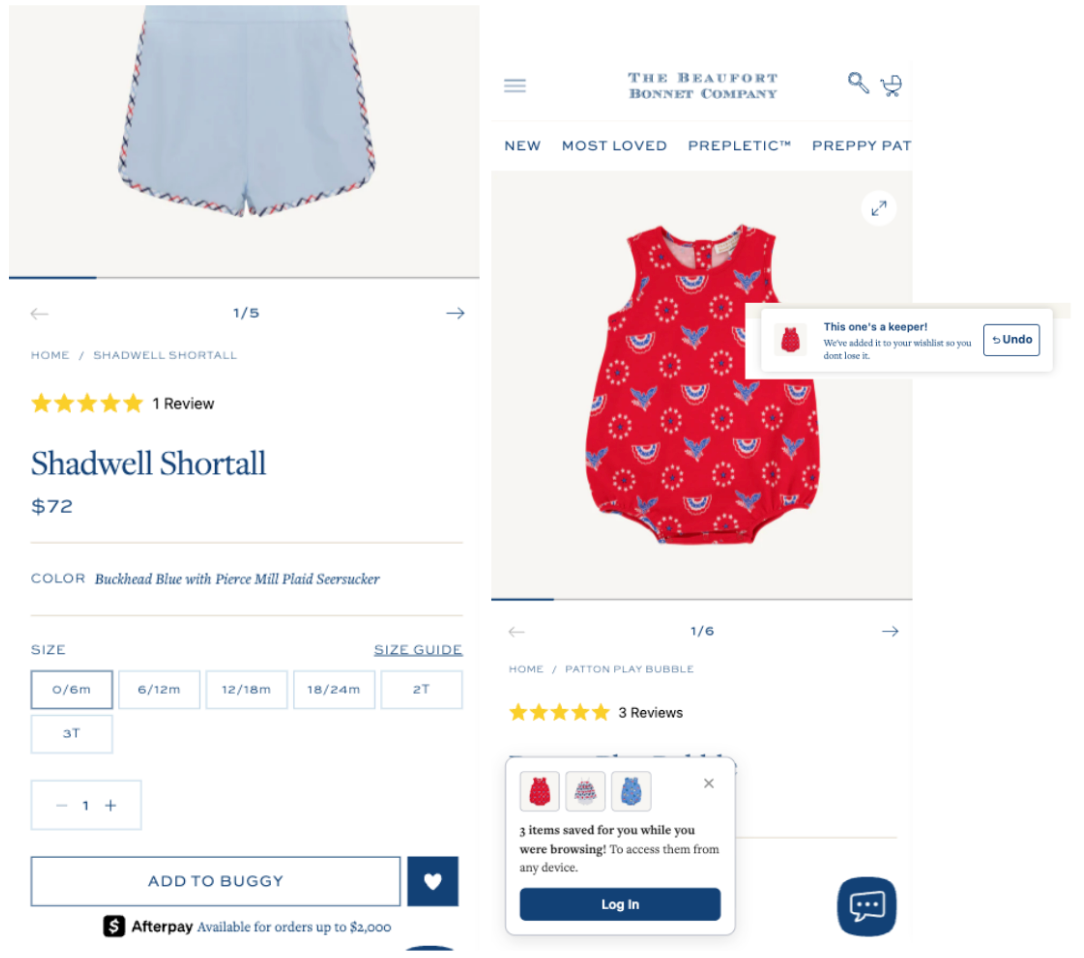
“Smart Save serves as a key bridge between discovery, consideration, and conversion, while also supporting long-term retention.”
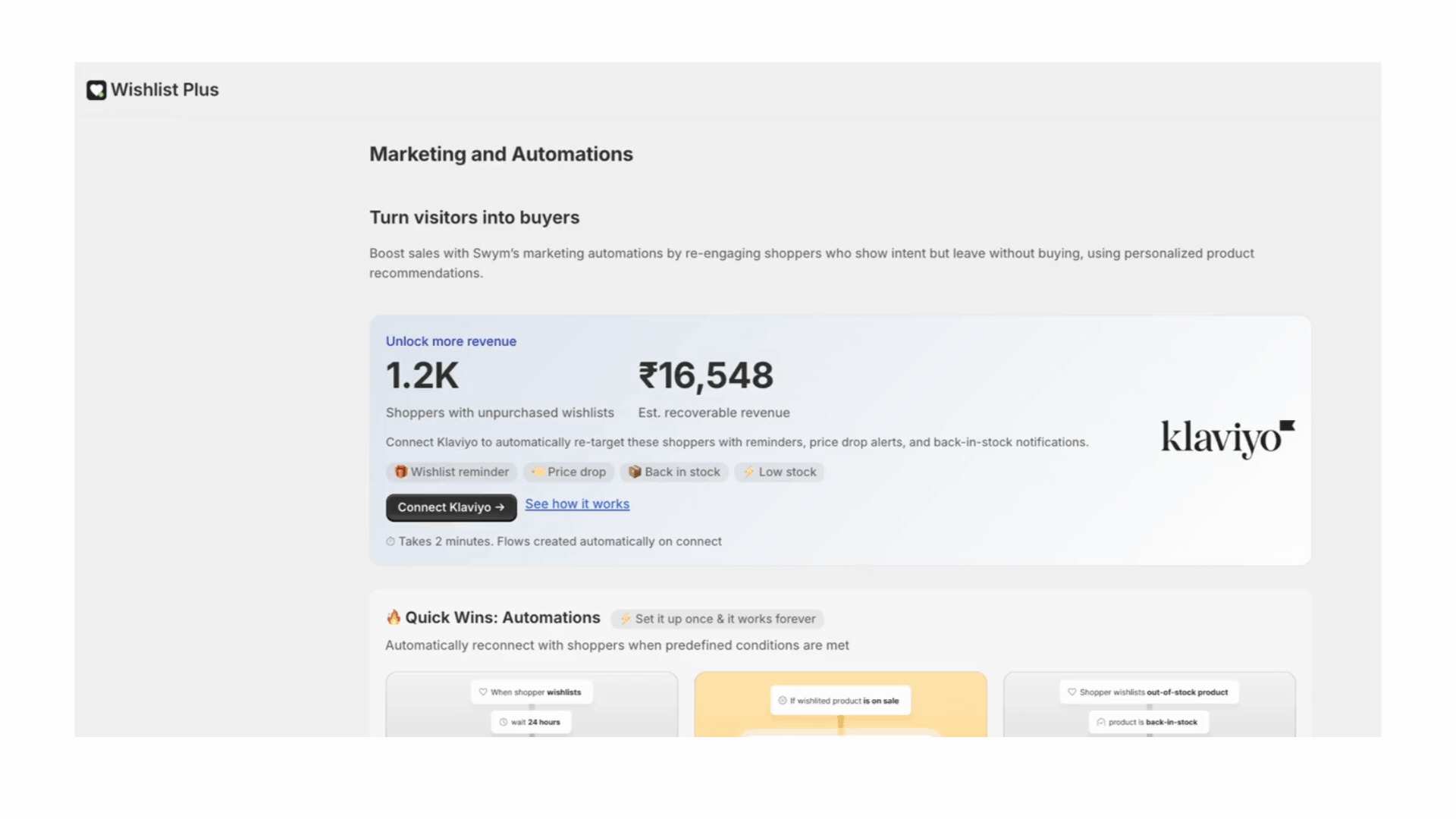
Connecting Klaviyo used to mean building your flows from scratch. Now, connecting automatically builds up to seven ready-to-use marketing flows for you in draft, with a new guided setup banner walking you through it. A draft flow doesn't send anything until you review it and turn it live. Here's what's waiting:
Connect Sailthru as a marketing integration to run personalized retargeting and engagement campaigns across email and SMS, right from your shoppers' wishlist activity. With built-in Shopify Markets support, communications automatically match each customer's language, region, currency, and live inventory, so every shopper sees the right price, in the right language, automatically. (Available on the Enterprise plan.)
Figuring out which products shoppers are saving, and whether that's turning into sales, usually means digging through a separate report. You can now ask Shopify's built-in Sidekick assistant plain-language questions about your Wishlist Plus performance, like which products are being saved the most, right inside your Shopify admin.
Swym will be at Online Retailer and Shopify DotDev this season. If you're attending either one, reply to this email, we'd love to catch up in person.
Questions about any of these updates? Our support team is always happy to help, and if you'd like to walk through your setup or talk through where to focus next, you can book time with us directly.
Helping e-commerce brands craft a more seamless experience for their customers


